Andra
Prototype
A workspace for tasks, projects, documents and a calendar, with a desktop of apps in the browser.
This is a prototype. Some features are still being worked on. It runs on a development machine and is not hosted for public use.
What it is
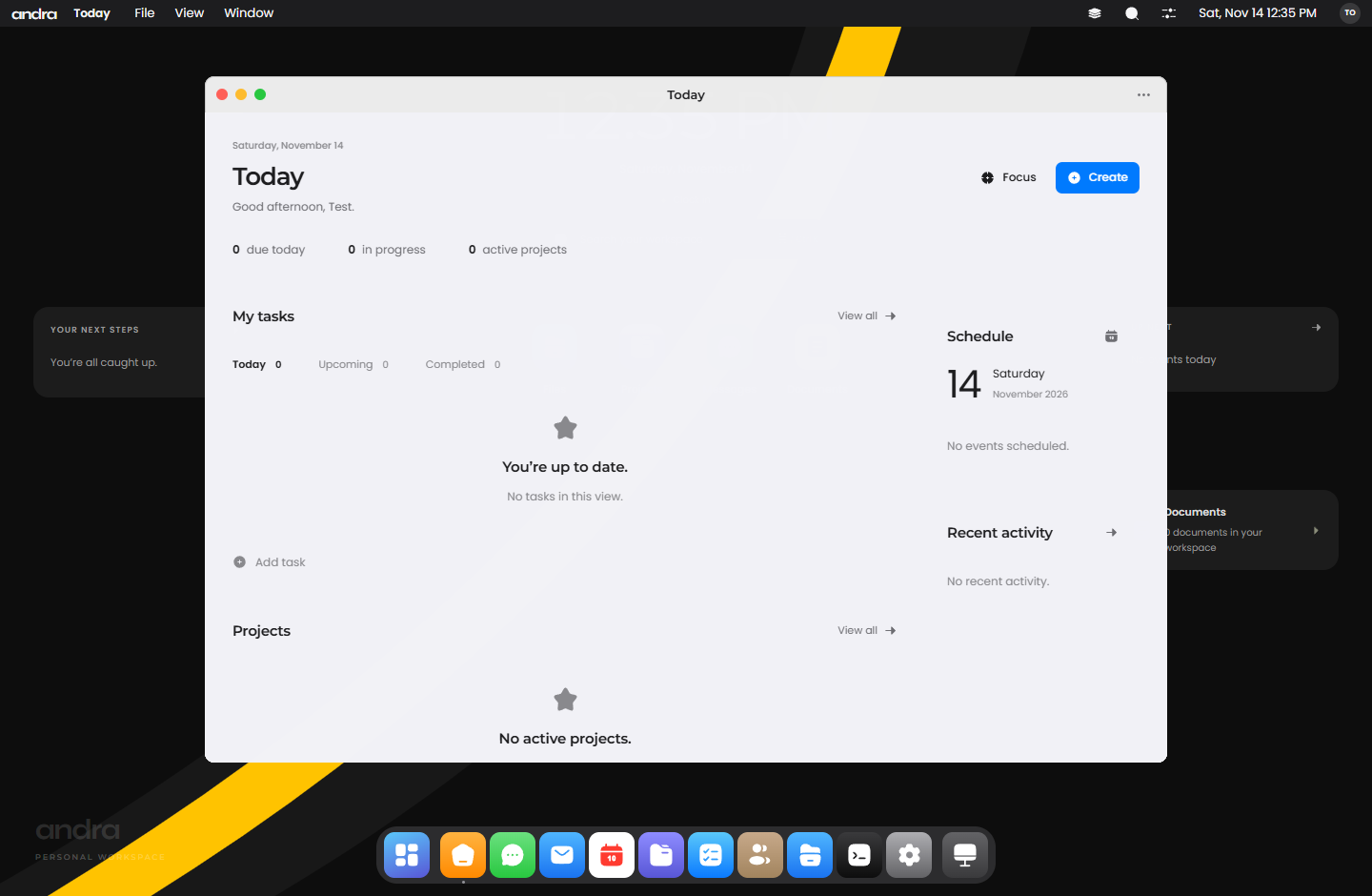
Andra is a workspace that runs in the browser on one device. It has tasks, projects, documents, a calendar and a people directory, plus a desktop view where apps open in their own windows.
- Runs in
- A web browser
- Your data
- In that browser, on one device
- App library
- 49 apps
Inside Andra
Workspace
Tasks have owners, due dates, priorities and comments, in a list or on a board. Projects track progress from their tasks. Documents save as you type. The calendar has day, week, month and year views.
A desktop in the browser
Apps open in separate windows that you can drag, resize, tile to an edge and minimise. A dock keeps your pinned apps, and one search box reaches apps, people, projects, tasks and documents.
Files and Terminal
Files has tabs, search, previews and a text editor. The Terminal works on the same files and understands common Unix, CMD and PowerShell commands, with pipes and simple scripts.
Finance and invoices
Record income and expenses, build an invoice with line items, discounts and tax, then record payments against it. Totals for money received, outstanding and expenses update as you go. Nothing is emailed or charged.
On a phone
The desktop becomes a home screen with an app grid and a dock. Apps open full screen, and a swipe up from the bottom goes home.
What works now
- Tasks, projects, documents, calendar, people directory and inbox
- A desktop with movable windows, a dock, Files and a Terminal
- Finance entries and invoices with line items, tax and recorded payments
- A library of 49 apps, including business screens such as CRM, HR and tickets
- Backup and restore of workspace data
What it does not do
- Records are stored in one browser on one device. There is no live sync between teammates.
- People in the workspace are directory entries, not invited users.
- It sends no email and processes no payments. Issuing an invoice only records it.
- The optional PIN hides the screen. It is not encryption or account security.
- The wordmark and app icon are temporary.