This is a prototype. Some features are still being worked on. There is no public download or hosted version yet.
What it is
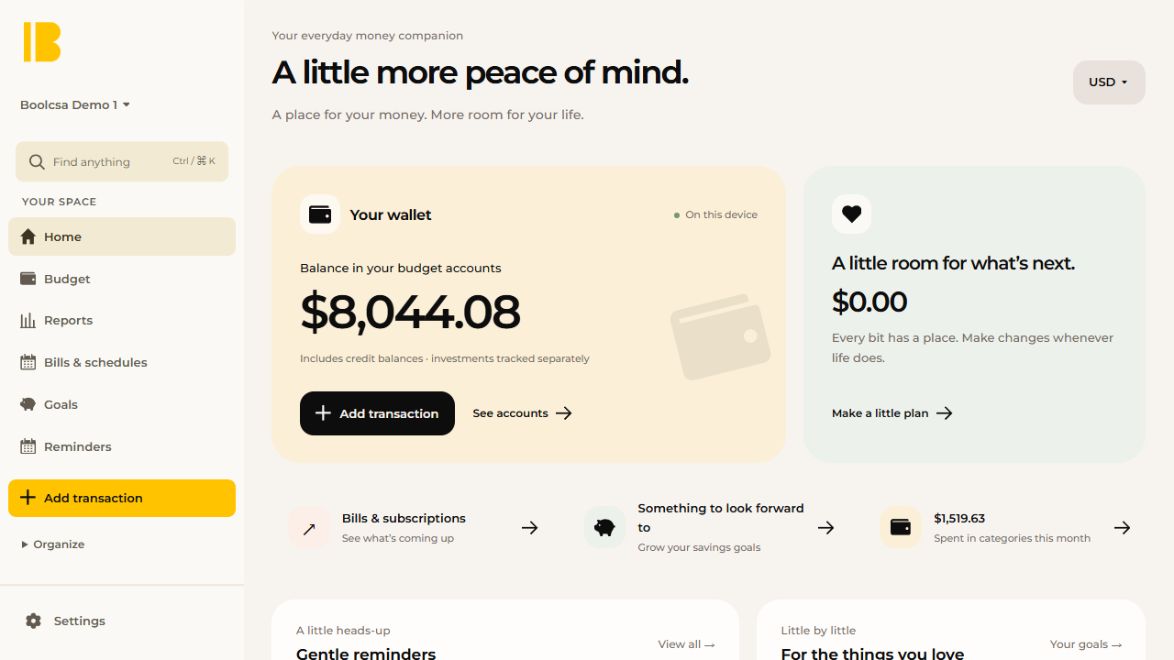
Boolcsa is a personal finance app. You plan a monthly budget, record income, spending and transfers, schedule bills and track savings goals. The data stays in the browser or app where you entered it.
- Runs on
- Web, plus a Windows test build
- Your data
- Stays on your device
- Bank links
- None
Inside Boolcsa
Budget
Plan each month by category and compare one month with another. Search for a category, or filter the list down to what is overspent.
Quick entry
Add an expense, income or transfer from one sheet, on desktop or phone. A transaction can be split across categories, and the split is checked before it saves.
Bills and reminders
Schedule a bill, then record it as paid, skip it or mark it complete. Reminders appear on the day, or 3, 7 or 14 days ahead, and can be snoozed until tomorrow. They show while the app is open.
Goals and monthly review
Set a savings target with a deadline and watch it fill. At the end of the month, a saved checklist walks through the review for that budget.
Your file, your backup
Each budget is a file on your device. You can export it, back it up and restore it yourself. Imports show a summary of rows and matches before anything is added.
What works now
- Monthly budgets with category search and an overspending filter
- Quick entry for expenses, income, transfers and split transactions
- Bills, savings goals, reminders and a monthly review checklist
- Reports, import review, and backup, export and restore
- A demo budget for trying it without your own figures
What it does not do
- No bank connections. Every transaction is entered or imported by you.
- No sync between devices. Moving data means exporting and importing a file.
- One currency per budget. Switching currency changes labels, not amounts.
- The Windows installer is an unsigned test build. Android and iPhone installs have not been checked on real devices.
- Reminders only show while the app is open.
Boolcsa includes software derived from the Actual project, used under the MIT License.