Makefold
In development
One desktop app for documents, spreadsheets, presentations, PDFs and drawings.
This is still being built and has not been released. It is built from source on a development machine. Nothing is available to download.
What it is
Makefold is a desktop app with a home screen and tabs. Each tab is an editor: Docs, Sheets, Slides, PDF or CAD. It brings five open-source editors into one window with one design.
- Runs on
- Windows desktops and laptops
- Editors
- Five, in one window
- Release
- None yet
Inside Makefold
Docs
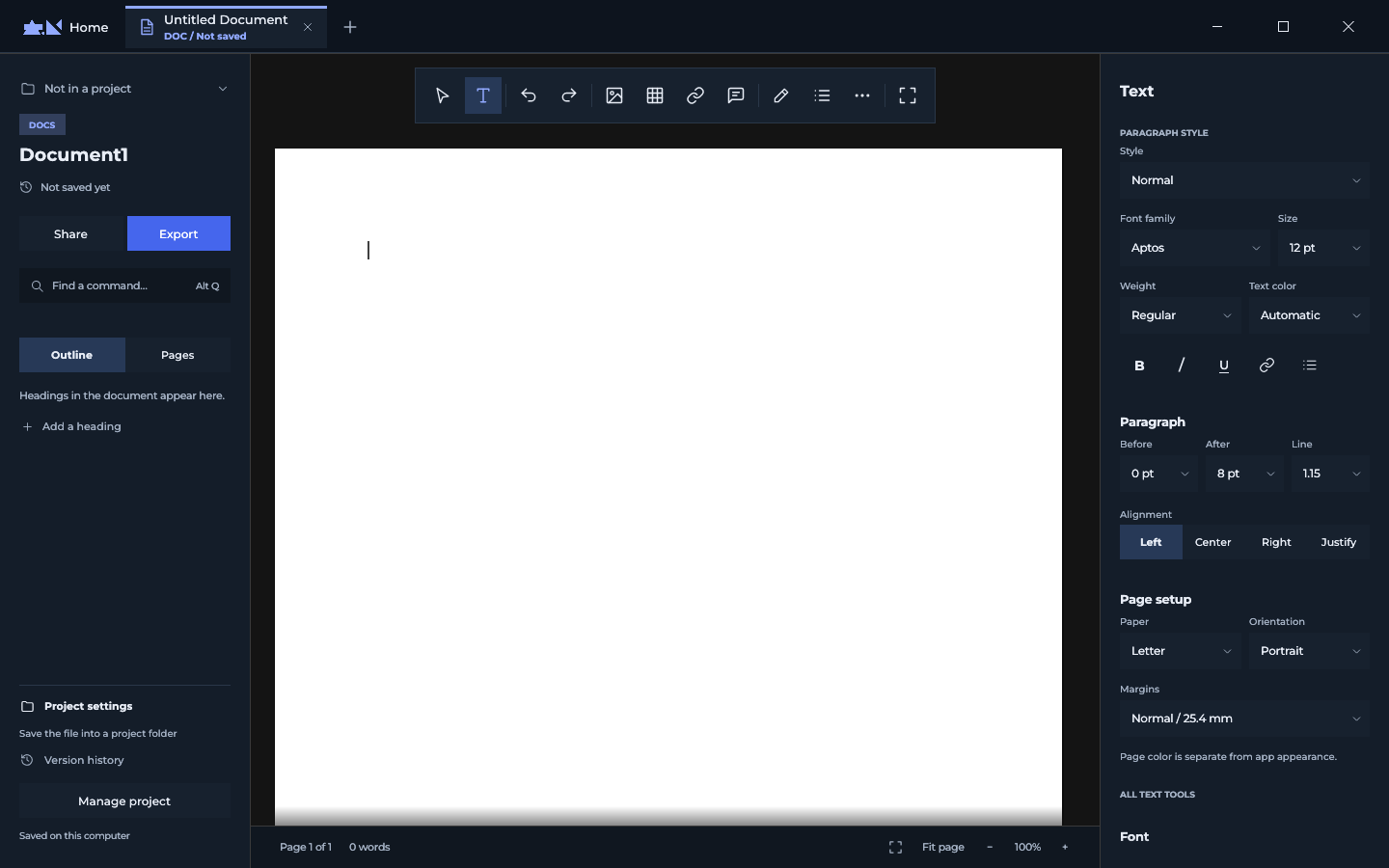
Opens docx, doc, rtf, odt, txt, md and html files. The outline and page list sit on the left, and text, paragraph and page settings on the right.
Sheets
Opens xlsx, xls, xlsb, ods and csv files. It has a formula editor, filters and sorting, and automations that you record by doing the steps once.
Slides
Opens pptx, potx and ppsx files. Layout, type and theme controls run along the top, speaker notes sit beside the slide, and a strip below holds the deck.
CAD
Opens dwg, dxf and svg files. Drawing tools are on the left, layers and object properties on the right, and a command line under the canvas.
Opens pdf files. Its start screen lists tools to organise pages, add comments, prepare a form, edit and protect a file.
What it opens
- Docs: docx, doc, rtf, odt, txt, md and html files
- Sheets: xlsx, xls, xlsb, ods and csv files
- Slides: pptx, potx and ppsx files
- PDF: pdf files
- CAD: dwg, dxf and svg files
What it does not do
- Desktop and laptop only. It is built and run from source on Windows.
- There is no installer or public release.
- It cannot yet tell whether a file has unsaved changes, so it asks before closing any tab.
- A sixth editor for 3D parts is at an early stage.
The editors are based on open-source projects under the MIT and Apache 2.0 licenses. Each editor's About box credits its original project.